News

News

What Are the Main Types of Thermal Receipt Printers?

2026-10-15 0 Leave me a message

Thermal receipt printers are widely used in retail stores, restaurants, supermarkets, logistics operations, self-service terminals, and other businesses that need to produce receipts or transaction records quickly. The main types include direct thermal printers, which use heat-sensitive paper, and thermal transfer printers, which use a ribbon to transfer ink onto a compatible substrate. In everyday point-of-sale applications, direct thermal models are especially common because they do not require ink cartridges or ribbons. Buyers can also choose among desktop, mobile, kiosk, and integrated printer designs according to installation space, printing volume, portability, and system requirements.


Choosing the right model involves more than comparing the purchase price or maximum printing speed. A suitable printer must match the receipt width, paper roll dimensions, daily workload, interface requirements, operating environment, and software platform of the intended application. At Xiamen Peite Electronic Technology Co., Ltd., we recognize that procurement decisions should be based on practical compatibility and total operating cost rather than a single headline specification. This guide explains the major printer types, the parameters buyers should evaluate, and the questions to ask before placing an order.

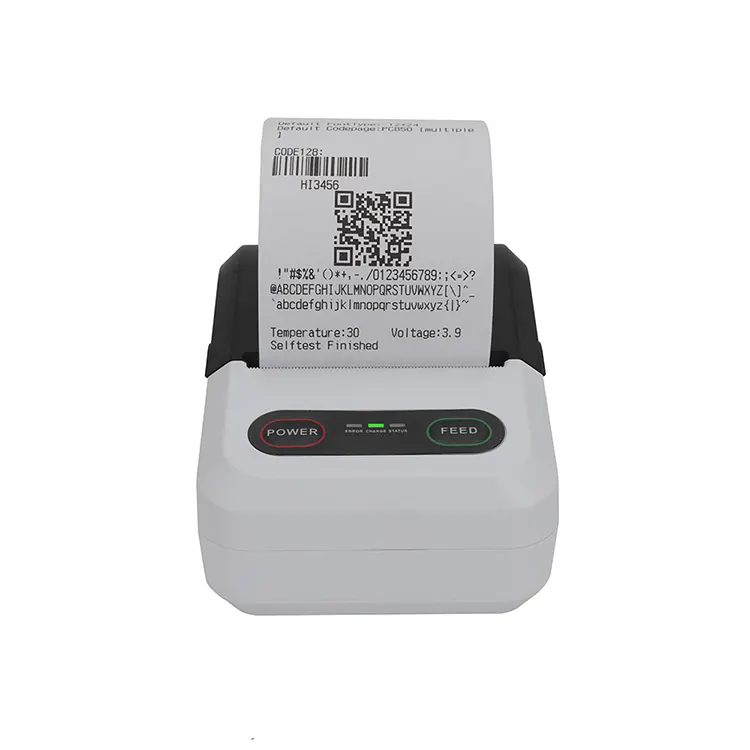
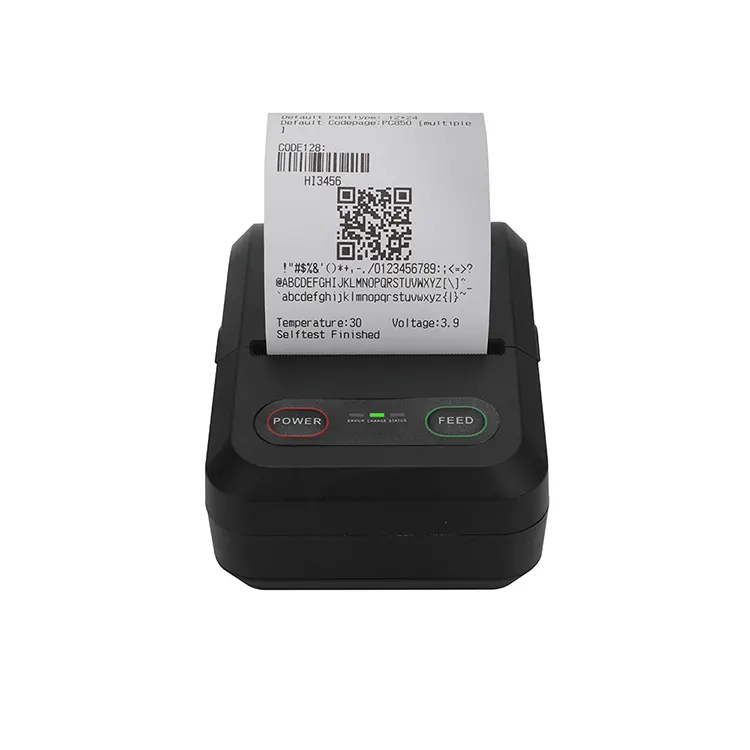
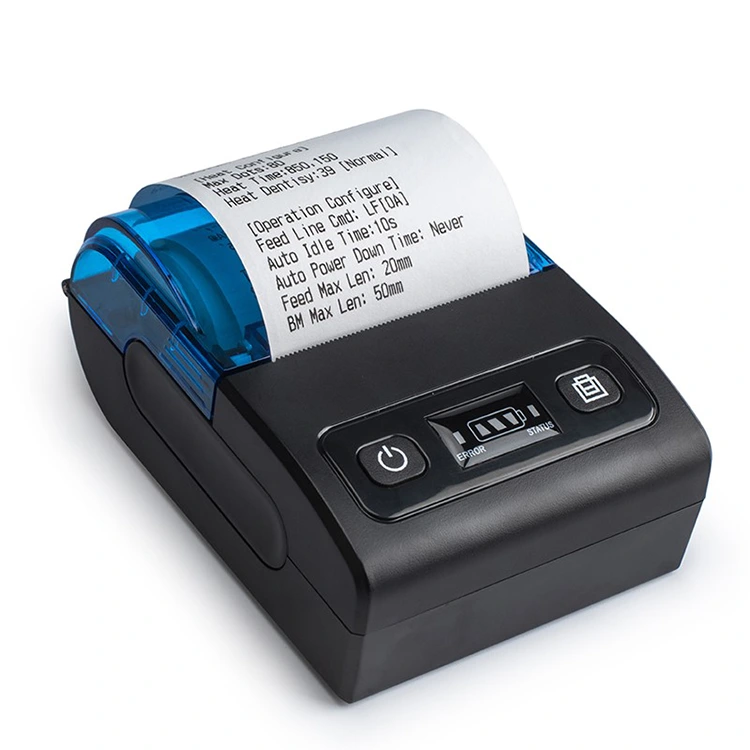
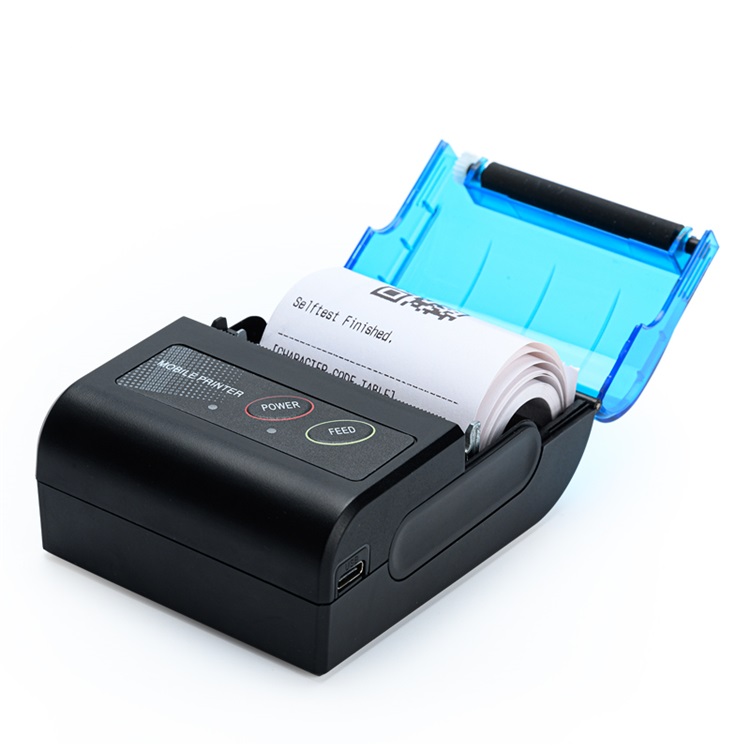
Mini Thermal Receipt Printer


Table of Contents

What Are the Main Types of Thermal Receipt Printers?


How Do Direct Thermal and Thermal Transfer Printing Differ?


Which Technical Parameters Matter Most When Buying a Printer?


How Can Buyers Match Printer Types to Different Business Applications?


What Should Buyers Check Before Ordering Thermal Receipt Printers?


Conclusion


Frequently Asked Questions


What Are the Main Types of Thermal Receipt Printers?

The main types of thermal receipt printers can be classified by printing technology, physical design, and intended application. These categories overlap. For example, a mobile printer is usually a direct thermal printer, while a kiosk printer is generally designed for integration into self-service equipment. Understanding these distinctions helps purchasing teams avoid comparing products that serve different operational purposes.

1. Direct Thermal Printers

Direct thermal printing creates an image by applying controlled heat to specially coated thermal paper. The printhead heats selected areas of the paper, causing the coating to darken and form text, numbers, barcodes, or graphics. Because this process does not require a ribbon or ink cartridge, direct thermal printers are commonly used for receipts and short-term transaction records.

Typical advantages include:

  • Lower consumable complexity because no printing ribbon is needed.
  • Relatively simple paper loading and routine operation.
  • Compact mechanisms suitable for counters, cash registers, and portable equipment.
  • Convenient printing of transaction details, payment confirmations, and order numbers.

However, the printed image can fade when exposed to excessive heat, direct sunlight, certain chemicals, or prolonged storage under unsuitable conditions. Buyers should therefore assess the expected record-retention period before selecting direct thermal technology for applications that require long-term document preservation.

2. Desktop Receipt Printers

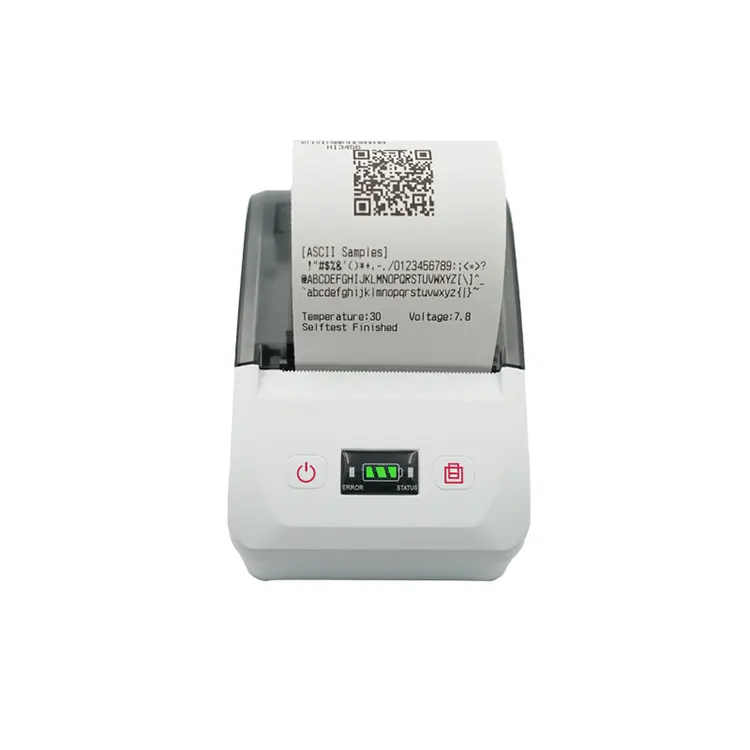
Desktop models are stationary printers intended for counters, checkout stations, service desks, and restaurant order points. They commonly feature a housing, a paper compartment, a cutter on supported configurations, and one or more communication interfaces. Their physical size makes them suitable for fixed workstations where employees need consistent access to printed receipts throughout the day.

Desktop units are available in different paper widths and connectivity configurations. Some connect through USB, while others support Ethernet, serial communication, or wireless interfaces. These features are not universal, so procurement teams should verify the exact configuration of each model rather than assuming every interface is included.

3. Mobile Receipt Printers

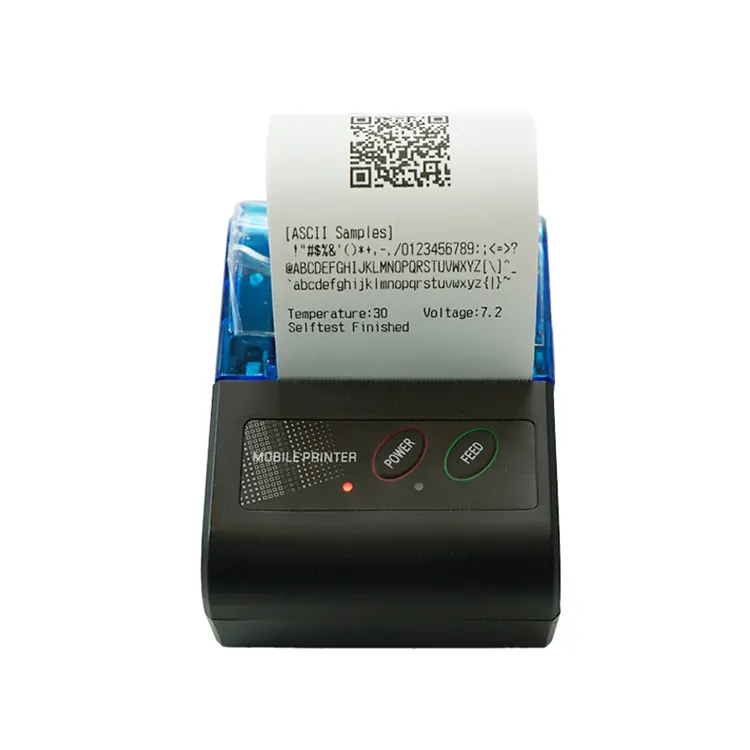
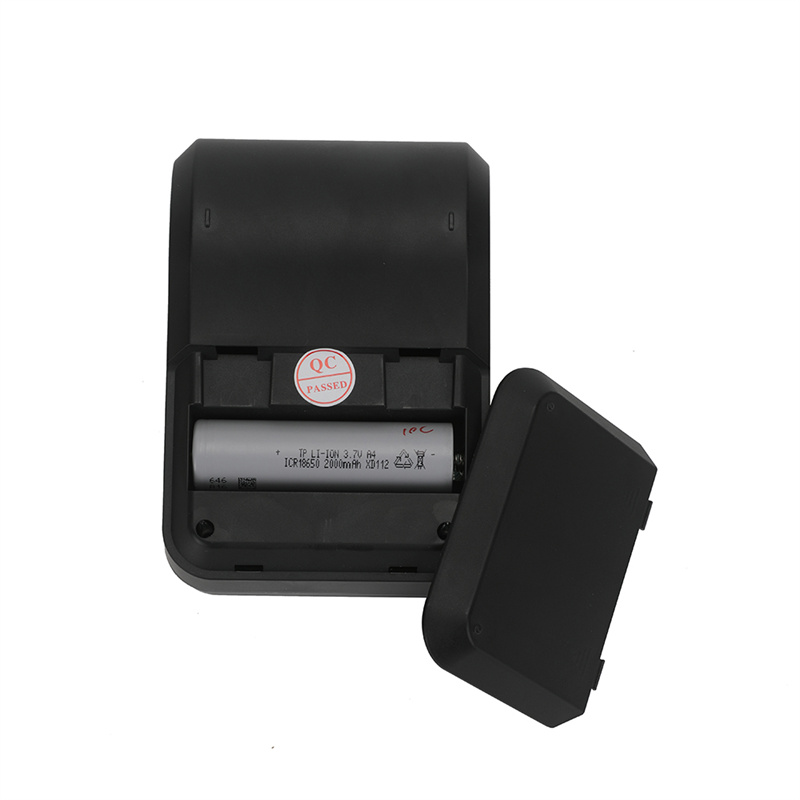
Mobile models are designed for employees who need to print away from a fixed checkout counter. Common use cases include delivery confirmation, field services, curbside transactions, parking management, and mobile point-of-sale operations. Their design typically prioritizes portability, battery operation, and convenient wireless connectivity.

When comparing portable equipment, buyers should evaluate battery capacity, charging arrangements, total weight, paper replacement, drop resistance, and the compatibility of the printer with the intended mobile operating system. A compact housing alone does not establish that a model is suitable for demanding outdoor conditions.

4. Kiosk and Embedded Receipt Printers

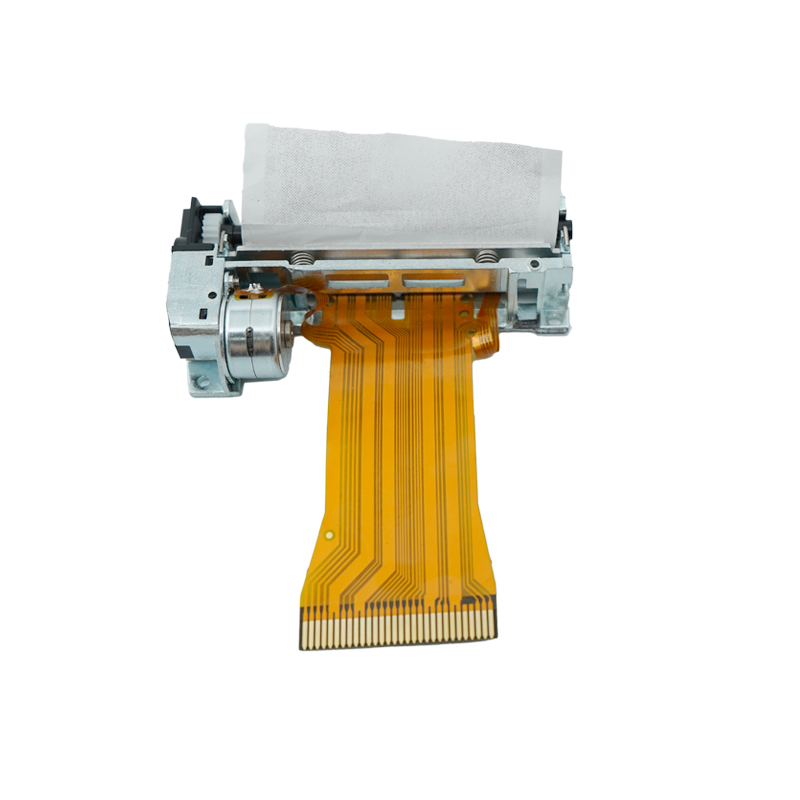
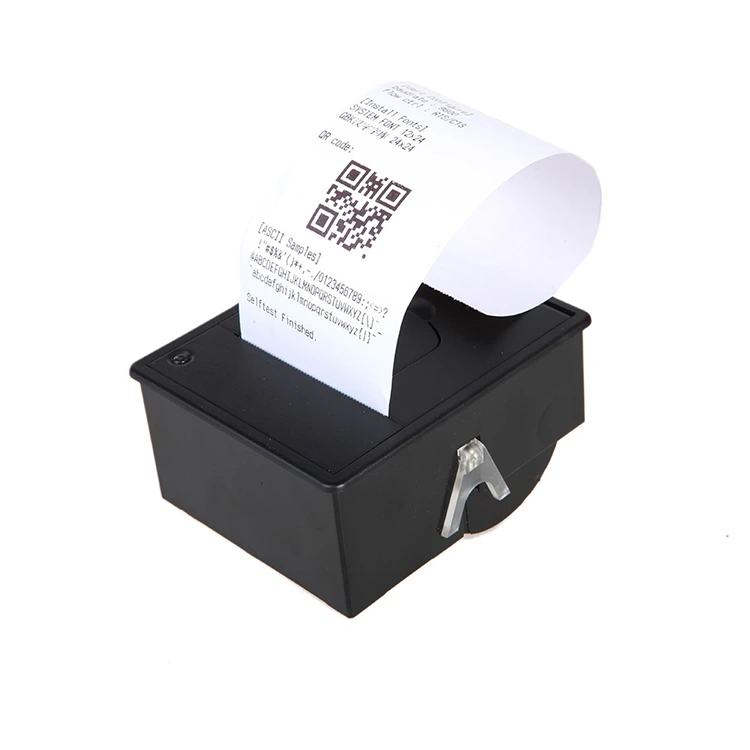
Kiosk printers are designed for installation inside self-service terminals, ticket machines, payment stations, queue-management systems, and other equipment. Embedded mechanisms may be supplied without the same finished enclosure used by a desktop product. The equipment manufacturer may integrate the mechanism into a larger machine with its own power supply, control system, paper access, and user interface.

Buyers should pay close attention to mounting dimensions, paper path, roll capacity, cutter design, sensor arrangement, communication protocol, and maintenance access. A mechanism that prints well on a test bench may still be unsuitable if it cannot fit the available enclosure or if operators cannot replace the paper roll efficiently.

5. Thermal Transfer Printers

Thermal transfer printing uses a heated printhead and a ribbon to transfer a coating onto the receiving material. It is more commonly associated with labels, tags, and applications requiring a different combination of media durability and print characteristics than ordinary checkout receipts. Although the technology is relevant when comparing thermal printing systems broadly, it should not automatically be treated as interchangeable with direct thermal receipt printing.

For most standard POS receipt applications, direct thermal equipment is the more common starting point. Thermal transfer technology becomes relevant when the required media, image durability, or application differs from the requirements of a conventional paper receipt.


Comparison of the Main Printer Categories

Printer type Typical installation Main advantages Key purchasing concern
Direct thermal Retail counters and transaction stations No ribbon required and simple operation Thermal paper durability and storage conditions
Desktop Checkout counters and service desks Convenient fixed installation and frequent printing Interfaces, cutter configuration, and paper capacity
Mobile Delivery, field service, and mobile sales Portable operation and battery-powered printing Battery life, connectivity, and physical durability
Kiosk or embedded Self-service machines and integrated terminals Integration into specialized equipment Mounting dimensions, paper path, and maintenance access
Thermal transfer Specialized label and media applications Ribbon-based image transfer on compatible materials Media compatibility and ribbon requirements

For procurement teams, the most useful starting point is the operating environment. A supermarket checkout, a delivery driver's handheld terminal, and a public ticket kiosk have different priorities even when they all print transaction information. Xiamen Peite Electronic Technology Co., Ltd. can be evaluated against these requirements by checking the actual model specifications, available configurations, and integration documentation supplied for the proposed equipment.


How Do Direct Thermal and Thermal Transfer Printing Differ?

The distinction between direct thermal and thermal transfer printing is fundamental because it affects consumables, media selection, maintenance, and the expected life of the printed image. Both methods use heat, but they create images through different mechanisms. Buyers who understand the difference can select a technology that fits the application instead of paying for features that provide little operational value.

How Direct Thermal Printing Works

A direct thermal printer uses a thermal printhead containing multiple small heating elements. As the paper passes beneath the printhead, the controller activates selected elements according to the image data. The heat reacts with the specially formulated coating on the paper, creating visible marks without a separate ink source.

This method reduces the number of consumable components that operators need to manage. Staff generally replace the paper roll when it runs out, rather than changing both paper and ribbon. Fewer consumable steps can simplify training and reduce interruptions at busy checkout points.

There are nevertheless limits to the technology. The paper coating determines how the image develops, and environmental exposure can affect its stability. A receipt intended only to confirm a recent purchase has different durability requirements from a record that must remain readable for years. Paper quality, storage conditions, and the customer's record-retention obligations should all influence the purchasing decision.

How Thermal Transfer Printing Works

In thermal transfer printing, a ribbon is placed between the printhead and the receiving material. Heat causes the ribbon's coating to transfer onto the material in selected areas. The process can be suitable for labels and other applications that require a different combination of substrate compatibility and image performance.

The ribbon introduces additional consumable management. Buyers must select a compatible ribbon and material combination, maintain suitable tension and alignment, and account for ribbon replacement. This may be justified when the application calls for it, but the added consumable is usually unnecessary for routine direct thermal receipts.

Which Technology Is More Cost-Effective?

Purchase price alone cannot establish the lower-cost choice. The correct comparison includes the printer, consumables, maintenance, downtime, and the cost of replacing unreadable or incorrectly printed records.

  • For ordinary receipts: Direct thermal printing is often practical because it eliminates ribbon purchasing and replacement.
  • For specialized labels: Thermal transfer may be appropriate when the required material or image performance justifies ribbon use.
  • For high-volume checkout: Compare the cost per printed receipt, printhead service expectations, paper quality, and cutter maintenance.
  • For long-term records: Confirm the required retention period and test the selected paper under representative storage conditions.

To compare operating costs, buyers can estimate annual expenditure using a straightforward calculation:

Annual operating cost equals annual paper expenditure plus ribbon expenditure, where applicable, plus routine maintenance, replacement parts, and estimated downtime costs.

For a direct thermal model, ribbon expenditure is normally zero, but paper costs remain. A lower paper price may not produce the best value if the roll causes frequent jams, produces poor contrast, or is inconsistent with the printer's media requirements. Conversely, premium paper may be unnecessary when receipts are short-lived and the operating environment is controlled.

What Should Buyers Know About Printhead Life?

Printhead service life is affected by operating conditions, print density, paper characteristics, maintenance practices, and the design of the particular mechanism. A quoted service-life figure should therefore be examined alongside the test conditions and measurement method. It should not be interpreted as a guarantee that every printer will achieve the same result in every environment.

Operators can support reliable performance by using compatible paper, keeping the printhead clean according to the manufacturer's instructions, and avoiding inappropriate cleaning tools or chemicals. Repeated printing at unnecessarily high density may also increase thermal stress. The appropriate settings should balance legibility and print quality with the demands of the application.


Direct Thermal Versus Thermal Transfer

Comparison point Direct thermal Thermal transfer
Image-forming method Heat activates the coating on thermal paper Heat transfers coating from a ribbon to the receiving material
Ribbon requirement No Yes
Typical receipt suitability Common for ordinary receipts and transaction records Usually selected for specialized media applications
Consumable management Primarily paper replacement Paper or other media plus compatible ribbon
Important limitation Image stability depends on paper formulation and exposure Media and ribbon must be compatible with each other and the printer

When evaluating a Thermal Receipt Printer, buyers should identify the exact printing method before comparing price, speed, or connectivity. Our procurement approach should begin with the actual document requirement, not the assumption that every heat-based printer uses the same technology. Xiamen Peite Electronic Technology Co., Ltd. should be asked to confirm the printing method, approved media, and relevant maintenance requirements for each proposed model.


Which Technical Parameters Matter Most When Buying a Printer?

Technical specifications determine whether a printer can integrate into a business system and sustain the required workload. However, not every parameter has equal importance for every buyer. A compact store may prioritize desk space and straightforward connectivity, while a supermarket or food-service operation may place greater emphasis on continuous workload, cutter performance, and recovery from paper jams. The goal is to translate the operational requirement into measurable acceptance criteria.

1. Print Width and Paper Dimensions

Print width determines how much information can fit across a receipt. Common receipt formats include approximately 58 mm and 80 mm paper widths, although the usable print width is generally narrower than the physical paper width. The exact printable width depends on the mechanism and model.

Before ordering, check the following:

  • Supported paper width and allowable tolerance.
  • Maximum printable width rather than paper width alone.
  • Compatible roll diameter and paper-core dimensions.
  • Paper thickness or grammage range specified by the manufacturer.
  • Whether the intended receipt layout fits without excessive wrapping or reduced readability.

An 80 mm roll can accommodate wider receipts and more detailed layouts, but it may require more storage space and cost more per roll. A 58 mm format can suit compact transactions and portable devices, yet may force longer receipts when many details are printed. The correct choice depends on the content, physical installation, and expected number of transactions.

2. Resolution and Text Readability

Resolution is commonly expressed in dots per inch or in the number of horizontal print dots across the printhead. Many receipt printers use a resolution around 203 dpi, but buyers should confirm the actual specification rather than treating this figure as universal. Higher resolution can improve the reproduction of small text and fine graphics, but it does not automatically guarantee better overall print quality.

Readability also depends on font selection, paper quality, printhead condition, image scaling, and the design of the receipt. If the application prints dense product descriptions, small characters, or detailed logos, request a representative sample. For barcode applications, verify the supported symbologies, print dimensions, contrast, and scanner readability under realistic conditions.

3. Printing Speed and Workload

Maximum printing speed is often stated in millimetres per second. Commercial models may offer speeds across a broad range, from lower-speed compact devices to faster mechanisms designed for busy checkout environments. The rated maximum should not be treated as the speed of every real-world receipt.

Actual output time depends on receipt length, image density, communication speed, processing time, cutter operation, and the application software. A short text receipt may print quickly, while a receipt containing a large logo, graphics, or extensive item details may take longer. The most useful purchasing test is therefore to measure complete transaction time using the buyer's actual receipt template.

For a busy location, ask the supplier to demonstrate repeated printing under a representative workload. Record how the device behaves during consecutive transactions, paper replacement, and recovery from a simulated interruption. A printer that reaches a high peak speed but requires frequent intervention may be less productive than a slightly slower model with more consistent operation.

4. Interfaces and Software Compatibility

Connectivity is one of the most important compatibility issues in printer procurement. USB, serial, Ethernet, Bluetooth, and Wi-Fi are common interface options across the market, but they are not all present on every model. Wireless support may also differ by operating system, communication profile, and product configuration.

Before approving a model, confirm:

  • The physical interface required by the host computer, POS terminal, tablet, or kiosk.
  • Supported operating systems and relevant driver versions.
  • Command language or printer protocol supported by the application.
  • Whether a software development kit or integration guide is available when needed.
  • Network configuration requirements for shared or centrally managed devices.
  • Whether the required interface is included in the quoted configuration.

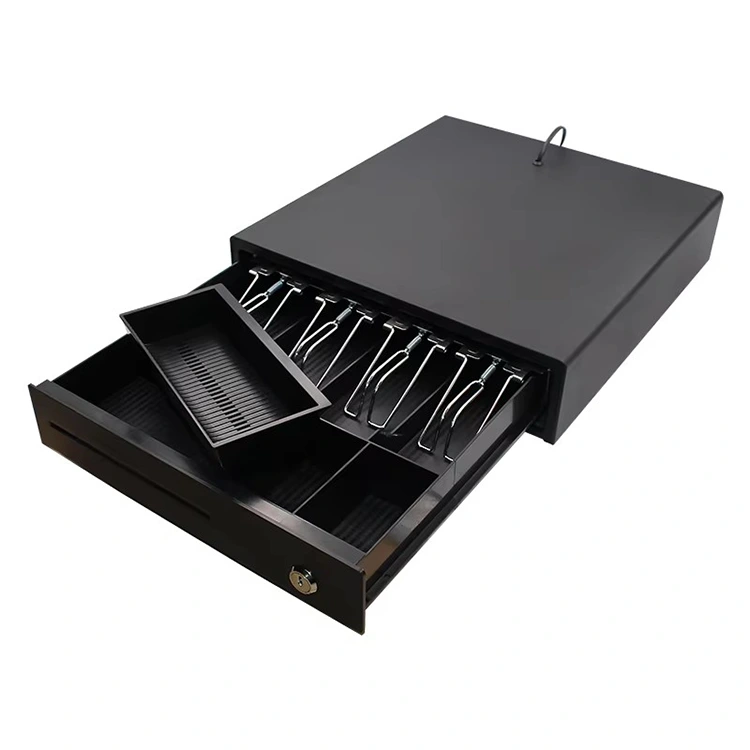
Compatibility should be tested with the actual POS software whenever possible. A connection that works at the operating-system level does not necessarily prove that the application can control the cutter, print a barcode, open a cash drawer, or recover correctly after a communication error.

5. Cutter, Sensors, and Paper Handling

Automatic cutters can improve checkout efficiency by separating receipts without requiring employees to tear the paper manually. Some models use a full-cut or partial-cut arrangement, while others are supplied without a cutter. Buyers should verify the specific design, expected workload, maintenance requirements, and the availability of replacement parts.

Paper sensors can help identify conditions such as paper end or cover status, depending on the design. For kiosk applications, additional requirements may include near-end paper detection, controlled paper presentation, and jam recovery. These features should be confirmed against the exact model documentation.

6. Power, Environmental Conditions, and Physical Design

Power input, energy consumption, operating temperature, humidity range, enclosure dimensions, and mounting arrangement all influence suitability. Mobile devices require special attention to battery capacity and charging cycles. Kiosk mechanisms need enough clearance for the paper roll, cable routing, service access, and waste-paper management.

Our purchasing specification should record the conditions in which the printer will operate, including temperature changes, dust exposure, humidity, vibration, and the frequency of daily use. Buyers should not assume that a standard desktop printer is suitable for outdoor installation or that a product is water-resistant without a verified protection rating.


Typical Specification Ranges to Discuss With Suppliers

The following figures are illustrative reference points for planning a quotation, not confirmed specifications for every model offered by Xiamen Peite Electronic Technology Co., Ltd. Actual values must be checked against the manufacturer's datasheet and the configuration being purchased.

Parameter Common reference point What to confirm
Paper width Approximately 58 mm or 80 mm formats Supported roll width and actual printable width
Print resolution Often around 203 dpi Exact resolution and barcode requirements
Print speed Model-dependent, often specified in mm/s Rated maximum and performance with the buyer's receipt
Connectivity USB, serial, Ethernet, Bluetooth, or Wi-Fi depending on model Included interface, drivers, and software compatibility
Paper roll diameter Varies with the paper compartment and mechanism Maximum supported roll diameter and core size
Cutter Optional or integrated depending on configuration Cutting method, workload rating, and maintenance procedure
Power supply Varies by desktop, mobile, and embedded design Input voltage, adapter, connector, and battery specifications

For purchasing decisions, the most effective method is to separate mandatory requirements from optional features. A required Ethernet connection should be treated as a pass-or-fail condition, while an extra interface may be a preference rather than a necessity. This distinction makes supplier quotations easier to compare and prevents unnecessary expenditure on functions that the business will not use.


How Can Buyers Match Printer Types to Different Business Applications?

Printer selection becomes more straightforward when buyers start with the actual workflow. Instead of asking which model has the highest specification, consider who operates the device, where it is installed, what it prints, how often it prints, and what happens when printing stops. The answers reveal which design features are genuinely valuable and which can be omitted.

Retail Stores and Supermarkets

Retail checkout systems usually need a dependable desktop printer that can produce receipts throughout the business day. Important considerations include receipt width, cutter operation, POS software compatibility, and straightforward paper replacement. In high-traffic stores, the time needed to recover from a paper jam or replace a roll can affect queue management.

A procurement team should test the printer using representative transactions, including long receipts, discounts, taxes, product barcodes, and return information where applicable. Confirm that the device prints the required characters correctly and that the POS system can issue commands without repeated manual intervention.

For multiple checkout stations, consistency is also important. Standardizing the printer model and paper format can simplify staff training, spare-parts management, and replenishment. However, a standard model should only be adopted after confirming that it meets the interface and workload requirements of every relevant station.

Restaurants, Cafes, and Food-Service Operations

Restaurants may use receipt printers at the cashier, service counter, kitchen, or beverage station. A cashier receipt and a kitchen order ticket do not necessarily have identical requirements. The cashier may need a customer-facing payment record, while kitchen staff may prioritize clear order details, rapid output, and reliable operation during peak meal periods.

Before purchasing, establish whether the printer will produce customer receipts, internal order tickets, or both. Check the required paper width, character size, language support, and connection to the restaurant management system. Where multiple stations share order information, network configuration and application compatibility should be tested before deployment.

Kitchen environments can involve heat, moisture, grease, and frequent handling. A standard printer should not be placed in conditions beyond its specified operating range. Buyers should determine whether a protected installation, a more suitable device location, or equipment designed for the particular environment is necessary.

Delivery Services and Mobile Point of Sale

Mobile receipt printing is useful when employees need to provide a printed confirmation at a customer's location. Delivery drivers, mobile sales representatives, service technicians, and event staff may benefit from portable devices that connect to phones, tablets, or handheld terminals.

The primary evaluation criteria differ from those of a fixed counter printer. Weight, battery runtime, charging time, connectivity stability, paper replacement, and durability during transport may be more important than the largest possible roll capacity. Buyers should also confirm whether the printer supports the mobile operating system and application used by the business.

A practical field trial should include a full work shift or a representative operating period. Test the connection after the mobile device has been disconnected and reconnected, check battery behaviour under repeated printing, and assess whether staff can replace paper without assistance. If equipment will be used outdoors, verify the permitted operating conditions and any documented protection rating.

Self-Service Kiosks and Ticketing Systems

Kiosk installations create a different set of design constraints because the printer is usually part of a larger machine. The mounting space, service opening, paper path, power supply, and controller interface must all match the equipment design. A mechanism with suitable print quality may still be unsuitable if it cannot be serviced without dismantling the kiosk.

For ticketing or unattended payment applications, buyers should consider the consequences of paper depletion and paper jams. Where the system must alert a remote operator before the paper runs out, the selected configuration needs an appropriate sensor and a compatible control method. The system integrator should verify that these signals can be read by the host equipment.

Long operating hours also make maintenance access important. Procurement teams should determine whether the roll can be replaced from the front, how the mechanism handles paper jams, and whether common replacement components will remain available during the expected service period.

Logistics, Warehousing, and Service Counters

Some logistics operations use thermal printers for dispatch records, collection confirmations, or short transaction slips. Other tasks, such as printing shipping labels, may require a label printer rather than a conventional receipt device. Buyers should distinguish between a narrow receipt, a shipping label, and a document that needs adhesive backing or a different media format.

At service counters, the key priorities are often software compatibility, clear text, stable connectivity, and predictable paper replenishment. A simple desktop printer can be sufficient when the workload is moderate and the installation is fixed. A mobile design may be more appropriate when employees move between service locations.


Application-Based Selection Checklist

  • Retail checkout: Prioritize POS compatibility, receipt width, cutter performance, and consistent transaction output.
  • Restaurant counter: Confirm order software compatibility, paper handling, and readability during busy periods.
  • Mobile sales: Check battery performance, portability, supported wireless connections, and mobile operating systems.
  • Self-service kiosk: Verify dimensions, mounting points, paper sensors, integration protocol, and maintenance access.
  • Warehouse or logistics: Confirm whether the job requires receipt paper or label media before choosing the printer category.
  • Multi-site business: Consider model standardization, driver management, consumable availability, and replacement-part planning.

When the application is clearly defined, buyers can avoid paying for features that do not solve an operational problem. Our selection process should document the use case, daily transaction volume, required interfaces, media type, and service expectations before requesting quotations. Xiamen Peite Electronic Technology Co., Ltd. should be asked to map the proposed model to these requirements and identify any optional accessories or configuration differences in the quotation.


What Should Buyers Check Before Ordering Thermal Receipt Printers?

A successful purchase depends on more than selecting a technically suitable model. Buyers also need clear documentation, comparable quotations, realistic acceptance criteria, and a plan for consumables and after-sales support. These factors help reduce the risk of receiving equipment that meets a headline specification but does not work correctly with the intended system.

Step 1: Prepare a Written Requirement

Before contacting suppliers, prepare a short specification that defines the actual operating conditions. Include the printer category, daily workload, paper width, maximum roll diameter, print resolution, required interfaces, host operating system, physical dimensions, and expected operating environment.

Where the printer will be integrated into existing software, list the application name, operating system version, and required functions. For example, the system may need to print barcodes, cut receipts automatically, open a connected cash drawer, or return status information to the host. These requirements should be confirmed before a purchase order is issued.

Step 2: Request Model-Specific Documentation

Ask for the datasheet and user manual for the exact model and configuration being quoted. A general product brochure may describe several variants, and optional features may not be included in the quoted unit. The documentation should identify the available interfaces, power requirements, media specifications, dimensions, operating conditions, and relevant maintenance procedures.

Where the product is intended for a regulated or specialized environment, buyers should identify any required declarations, test reports, or certifications before procurement. Request evidence applicable to the exact product and destination market. Do not rely solely on a broad statement that a manufacturer or product family is certified.

Step 3: Compare Quotations on an Equivalent Basis

Two quotations are only meaningfully comparable when they describe equivalent configurations. A lower-priced model may exclude a power adapter, interface cable, cutter, wireless module, driver support, or other item required for deployment. These differences should be identified before comparing unit prices.

Quotation item Question for the supplier Why it matters
Model and configuration Is the exact model number and interface combination stated? Prevents confusion between different variants
Accessories Are the adapter, cables, mounting parts, and other required items included? Reveals additional deployment costs
Consumables Which paper dimensions and specifications are approved? Supports reliable replenishment and print quality
Software Which drivers, protocols, and operating systems are supported? Reduces integration uncertainty
Quality control What inspection and functional tests are performed? Clarifies the basis for product acceptance
Warranty and support What are the warranty terms, exclusions, and service procedures? Helps assess lifecycle risk
Delivery What is the confirmed lead time and packaging arrangement? Supports deployment planning

Step 4: Test a Representative Sample

Where practical, test a sample unit before committing to a large order. A useful test plan includes normal receipts, longer receipts, small text, logos, supported barcodes, repeated printing, paper replacement, interface reconnection, and cutter operation if a cutter is fitted. The test should use the actual software and paper specification intended for production.

Record measurable results rather than relying on an informal impression. Check whether the printer produces legible output, whether the receipt layout is correct, whether the system recognizes the device, and whether the unit recovers after routine interruptions. If the application requires a particular barcode format or language, include it in the acceptance test.

For mobile models, test the actual host device and wireless connection. For embedded mechanisms, verify the mechanical fit, mounting points, paper path, and access needed for routine service. For high-volume installations, evaluate sustained operation under a workload that reasonably represents the expected duty cycle.

Step 5: Calculate the Total Cost of Ownership

The total cost of ownership includes the purchase price and the costs incurred while operating the equipment. A low initial price may be attractive, but it should be assessed alongside paper consumption, maintenance, replacement components, staff time, and the impact of downtime.

Consider a business operating several checkout stations. Even a small difference in paper waste or time spent resolving printer problems can accumulate across many transactions. Conversely, a higher-priced model may not be worthwhile if the additional features are unused. The appropriate choice is the configuration that meets the operational requirement at a reasonable lifecycle cost.

Our cost comparison should include at least the following:

  • Unit price and required accessories.
  • Expected paper consumption and cost per roll.
  • Routine cleaning and maintenance requirements.
  • Potential replacement parts and service arrangements.
  • Estimated time required for paper changes and fault recovery.
  • Software integration and installation costs.
  • Warranty coverage and the process for handling defective units.

Step 6: Confirm Quality Control and After-Sales Support

Before placing an order, request a clear explanation of the supplier's quality-control process. Relevant checks may include print function, interface operation, paper feeding, cutter operation where applicable, and visual inspection. Buyers should ask which tests are performed on every unit and which are performed through sampling, rather than assuming that all suppliers follow the same procedure.

After-sales arrangements should also be documented. Confirm the warranty period, coverage, exclusions, troubleshooting procedure, replacement-part availability, and response process for technical questions. If the equipment is part of a larger POS or kiosk system, determine who is responsible for resolving issues involving the printer, the host software, and the overall integration.

Step 7: Confirm Packaging, Delivery, and Order Details

For commercial orders, verify the exact model, quantity, accessories, packaging, shipping destination, delivery schedule, and any labelling or documentation requirements. If the units will be installed across multiple sites, consider whether consistent configuration and serial-number records are needed for inventory and maintenance management.

For repeat purchasing, maintain an approved specification and sample acceptance record. This makes future quotations easier to compare and reduces the risk of receiving an unapproved interface variant or a different paper configuration. Any approved substitution should be documented before shipment.


A disciplined purchasing process helps buyers move from product discovery to a defensible procurement decision. Rather than relying on broad descriptions such as fast, durable, or professional, ask for measurable specifications and confirm them through documentation or testing. Xiamen Peite Electronic Technology Co., Ltd. can be considered as a supplier candidate by evaluating the proposed configuration against the written specification, the sample test results, and the support terms agreed for the order.


Conclusion

The main types of thermal receipt printers serve different requirements. Direct thermal models are widely used for ordinary receipts because they do not require a ribbon, while desktop printers suit fixed workstations, mobile printers support field operations, and kiosk mechanisms are designed for integration into self-service equipment. Thermal transfer printers serve different media requirements and should not be assumed to be a direct substitute for conventional receipt printers.

The best purchase decision depends on application, paper format, printing workload, resolution, connectivity, software compatibility, physical installation, and total cost of ownership. Buyers should compare model-specific specifications, test representative output, confirm consumable requirements, and review warranty and support arrangements before placing an order. Contact Xiamen Peite Electronic Technology Co., Ltd. to discuss your application, request the relevant product specifications, and identify a configuration that matches your system and purchasing requirements.


Frequently Asked Questions

1. What is the difference between a thermal receipt printer and a regular inkjet printer?

Answer: A thermal receipt printer creates images using heat, usually by activating a coating on thermal paper, while an inkjet printer places liquid ink onto a compatible surface. Direct thermal printers generally do not need ink cartridges or ribbons, making them convenient for routine receipts and transaction records. Inkjet printers can support a broader range of document and image applications, but their consumables and maintenance requirements differ. The appropriate choice depends on the document format, image requirements, expected print volume, and operating cost.


2. Should a business choose a 58 mm or an 80 mm receipt printer?

Answer: A 58 mm model can be suitable for compact receipts and space-constrained installations, while an 80 mm model can accommodate wider layouts and more information across each line. Buyers should compare the actual printable width, receipt design, roll capacity, paper cost, and available installation space. If the receipt includes detailed item descriptions, logos, or multiple transaction fields, testing the actual layout on both formats can reveal which option provides better readability and a more practical receipt length.


3. Can a thermal receipt printer work with any POS system?

Answer: No. Compatibility depends on the printer's communication interface, supported command language or protocol, available drivers, operating system, and the capabilities of the POS application. A USB connection alone does not guarantee that every application can control receipt formatting, barcodes, cutter functions, or cash-drawer signals. Before purchasing, confirm the exact POS software and host device with the supplier, review the model's integration documentation, and test a sample using the intended software whenever possible.


4. How long do thermal receipts remain readable?

Answer: There is no single retention period that applies to every thermal receipt. Readability depends on the paper formulation, print conditions, storage temperature, exposure to sunlight, contact with chemicals, and other environmental factors. Direct thermal receipts may fade faster under unsuitable conditions than under cool, dry, protected storage. If records must be retained for accounting, legal, or warranty purposes, buyers should verify the paper manufacturer's durability information, follow recommended storage conditions, and consider whether a digital record or another printing method is needed for long-term retention.


5. What should a buyer request before placing a bulk order for thermal receipt printers?

Answer: A buyer should request a model-specific datasheet, supported paper specifications, interface and operating-system details, power requirements, dimensions, relevant test or compliance documentation, warranty terms, delivery information, and a list of included accessories. For important integrations, a sample unit should be tested with the actual POS or kiosk software. The purchase order should identify the exact model and configuration, agreed acceptance criteria, quantity, packaging, and any approved accessories. These checks reduce the risk of receiving equipment that is technically different from the version evaluated during procurement.

Related News
Leave me a message
X
We use cookies to offer you a better browsing experience, analyze site traffic and personalize content. By using this site, you agree to our use of cookies. Privacy Policy
RejectAccept